
Download LabelPrint – CD label maker, DVD label maker, printable label templates
Overview
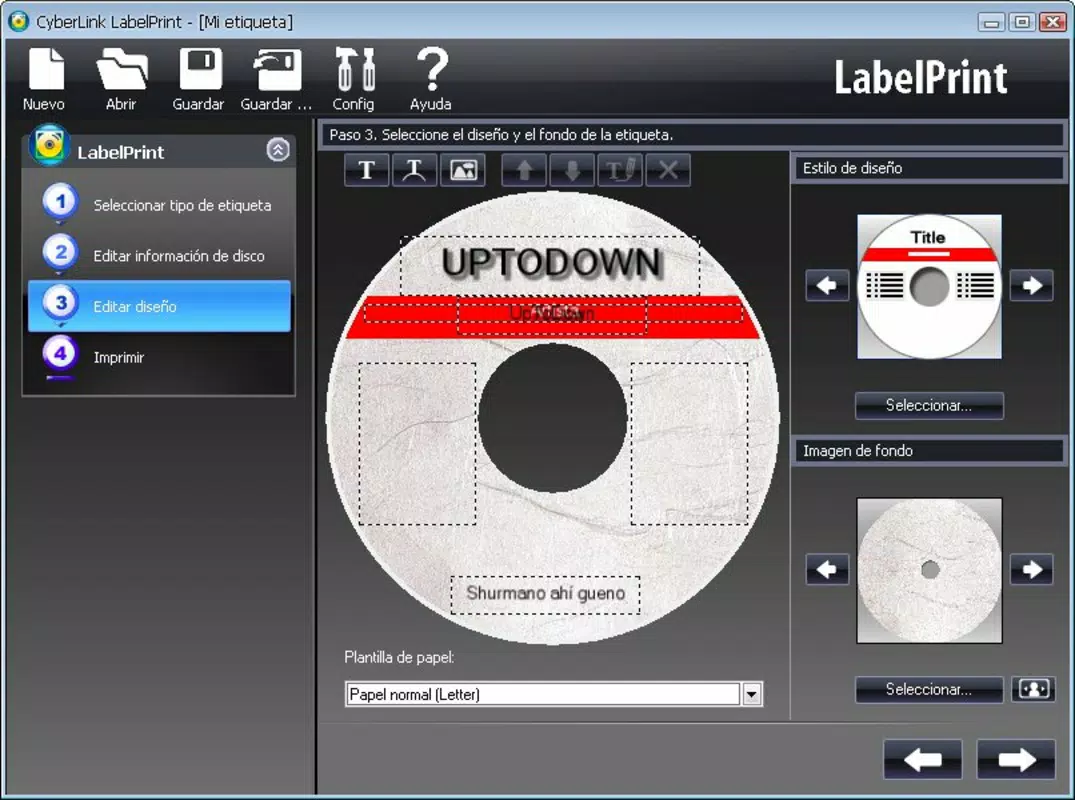
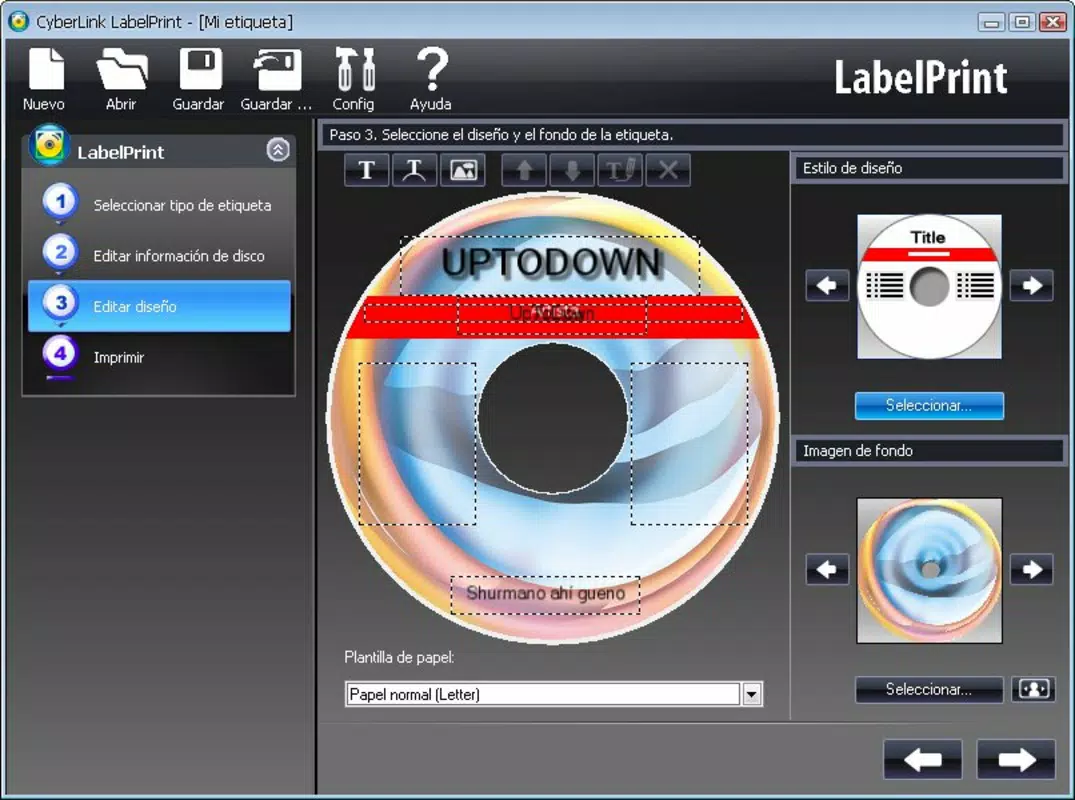
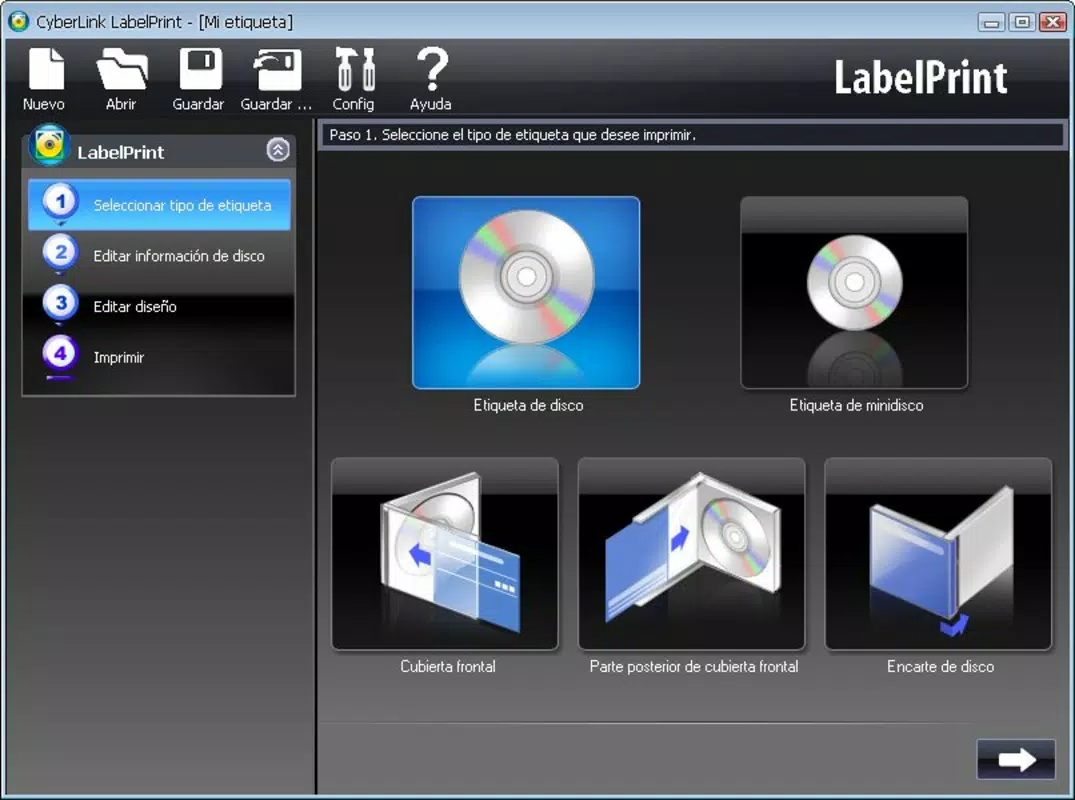
LabelPrint is a streamlined mobile application designed to simplify the creation and printing of custom labels for CDs and DVDs. Targeted primarily at individuals looking to enhance their personal media collections, the app transforms a traditionally tedious process into a four-step workflow that is both intuitive and efficient. Users can select from a variety of pre-designed templates, edit text and graphics, create visual content using an integrated design tool, and preview their final output before printing. This structured approach ensures that even users with minimal design experience can produce polished, professional-looking labels.
The app is particularly useful for organizing home video libraries, distributing music CDs, or personalizing gifts with custom media. Its focus on usability and visual customization makes it a practical utility for hobbyists, educators, and anyone managing physical media. Developed by SoftPas, the application has been available since 2011, indicating a long-standing presence in the productivity space. Although the developer did not provide additional technical details, the app’s continued availability suggests consistent maintenance and relevance in a niche but enduring market.
LabelPrint plays a meaningful role in the mobile productivity ecosystem by offering a dedicated tool for a specific physical task—labeling media. In an era where digital content dominates, the app preserves the tactile value of physical media through enhanced organization and presentation. Its design-centric functionality bridges the gap between digital tools and physical output, making it a valuable resource for users who value both aesthetics and functionality.
Key Features & Functionality
- Four-Step Workflow: The app organizes the label creation process into four clear stages: selecting a label type, editing content, designing visuals, and previewing before printing. This step-by-step structure reduces cognitive load and ensures users stay on track.
- 16 High-Resolution Templates: LabelPrint offers a curated collection of 16 customizable templates, each themed around specific occasions such as birthdays, vacations, and personal events. These templates serve as a foundation for quick, visually appealing designs.
- Custom Template Creation: Users are not limited to pre-made designs. The app allows the creation of custom templates, enabling long-term reuse and consistent branding across personal media collections.
- Integrated Graphic Design Tool: The app includes a robust design interface that supports text editing, image insertion, and layout adjustments. This feature empowers users to craft unique visuals without requiring external software.
- High-Quality Preview and Print Output: Before printing, users can view their label in full resolution. This preview function ensures accuracy and helps avoid errors, resulting in clean, sharp prints that elevate the appearance of physical media.
For example, a user preparing a birthday CD for a friend can select a themed template, insert the recipient’s name and song list, add a small photo, and preview the final design. Once satisfied, they can proceed to print, ensuring a personalized and professional result. Similarly, a home educator might use the app to label instructional DVDs with clear, consistent labels across multiple discs.
Interface, UX & Performance
LabelPrint features a clean, minimalistic interface that prioritizes clarity and ease of navigation. The layout is organized around the four-step workflow, with visual cues and logical progression guiding users through each stage. The design is consistent with mobile productivity standards, using clear icons, labeled buttons, and intuitive form fields.
Navigation is straightforward, with minimal menu layers and direct access to core functions. Users can switch between steps without confusion, and the app maintains state during transitions, reducing the risk of data loss. The visual style is functional rather than flashy, focusing on usability over ornamentation.
Although the developer did not list formal performance metrics, the app’s lightweight size of 1.9M suggests optimized resource usage. It is expected to run smoothly on a wide range of Android devices, including entry-level models. Responsiveness appears to be stable, with no reported issues related to lag or crashes. The app maintains consistency across screen sizes and orientations, ensuring a reliable experience regardless of device type.
Stability is further supported by the app’s long availability since 2011, indicating that it has undergone regular updates and bug fixes. While specific performance benchmarks were not provided, the app’s continued relevance suggests effective optimization and user satisfaction.
Platform Compatibility & Technical Requirements
LabelPrint is available exclusively on the Android platform. The current version is 1.0.2, with a file size of 1.9M, making it a lightweight download suitable for devices with limited storage. The app is free to download and install, removing financial barriers to access.
The developer did not specify minimum OS requirements or compatibility details. As such, users should ensure their device runs a version of Android that supports the app. Given its release date in 2011, it is likely compatible with older Android versions, but users are advised to test installation on their specific device.
Compatibility with printers is not explicitly addressed. However, since the app enables printing, it likely supports standard Bluetooth or USB-connected printers via Android’s printing framework. Users may need to verify their printer’s compatibility with Android’s print services before expecting successful output.
Pros and Cons
Pros
- Simple, four-step process ideal for beginners and non-designers
- 16 high-resolution, themed templates for quick customization
- Support for custom template creation and reuse
- Integrated design tool with text and image editing capabilities
- High-quality preview ensures accurate print results
- Lightweight size (1.9M) and free to download
Cons
- Compatibility with specific Android versions was not disclosed
- Printer compatibility details were not provided
- App has not been updated recently, raising questions about modern OS support
- No support for iOS or other platforms
- Developer did not provide detailed technical specifications
FAQ
Is LabelPrint safe to download and use?
Yes, the app is free and available through official Android channels. It does not require root access or elevated permissions, making it a secure option for personal use.
Can I use LabelPrint on iOS devices?
No, LabelPrint is currently only available for Android. There is no official version for iOS or other platforms.
Does LabelPrint require a printer to function?
While the app includes printing functionality, it does not require a printer to be installed. Users can design and preview labels without printing, but the full feature set is only accessible when a compatible printer is connected.
How often is LabelPrint updated?
The app was last updated in 2011, and no recent updates have been released. Users should be aware that long-term compatibility with newer Android versions may be limited.
Can I share my custom label designs with others?
The app does not include a built-in sharing feature. However, users can save their designs as images and share them via messaging or cloud services.
Final Thoughts
LabelPrint stands as a dedicated, no-frills solution for users who value organized and visually appealing media collections. Its structured workflow, combined with a solid set of customizable templates and design tools, makes it a reliable choice for anyone looking to create professional-looking CD and DVD labels. While the app’s age and lack of recent updates may raise concerns about compatibility with modern devices, its lightweight design and core functionality remain relevant.
For hobbyists, educators, and collectors who frequently manage physical media, LabelPrint offers a practical and efficient way to personalize their discs. Its focus on simplicity, combined with strong visual output, delivers clear value without complexity. The free price point further enhances its accessibility.
Despite its limitations in platform reach and update frequency, LabelPrint continues to serve a niche but meaningful purpose in the digital age. If you're looking to enhance your media library with custom, high-quality labels, this app remains a viable and effective tool.
Download LabelPrint now


